How to reset a user password on Flowace?
- Click on the Admin Settings icon located at the top right side, below your name.

- Select Members from the menu on the left side.

- Enter the name of the user in the search field.

- Check the box next to the user’s name.

- Click on the Edit button appear at the top, next to the search button.
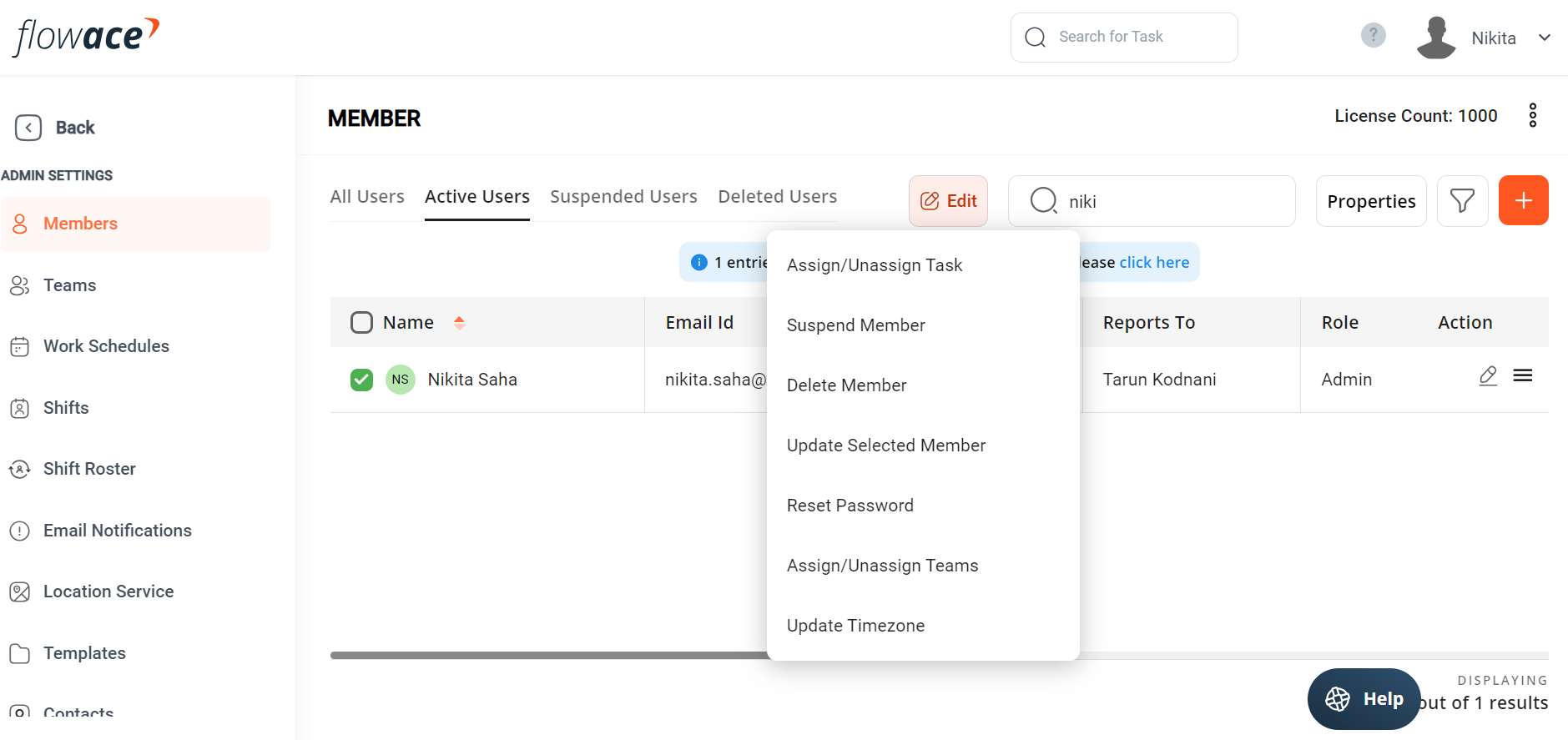
- In the dropdown menu, select Reset

- Choose whether you want to reset to an auto generated password or a custom password.

- Set the new password and save the changes.
Updated on: 10/06/2026
Thank you!