How to Enable Internet Usage Monitoring in Flowace
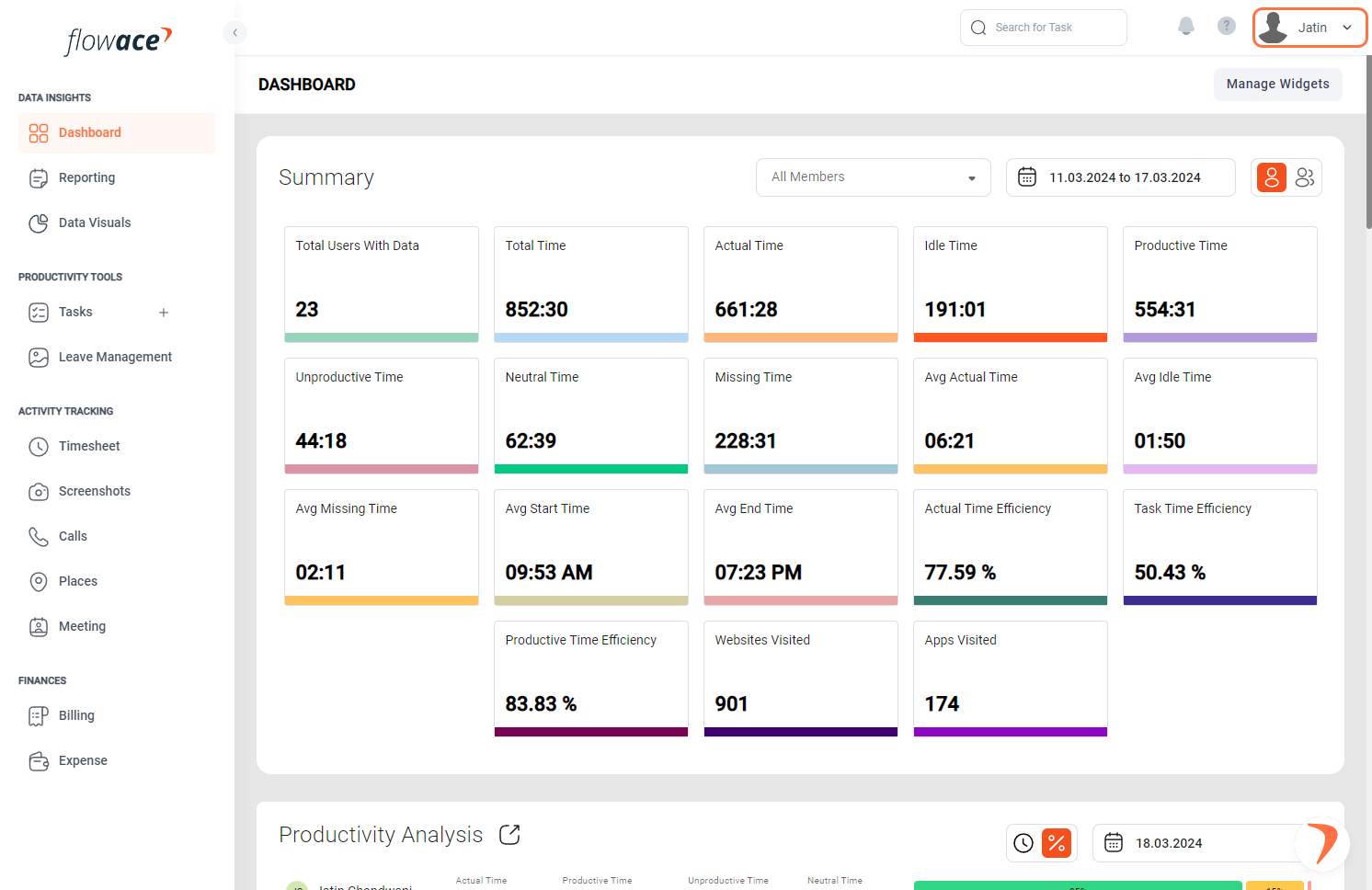
1) Click on your name in the top right corner to access your account settings.
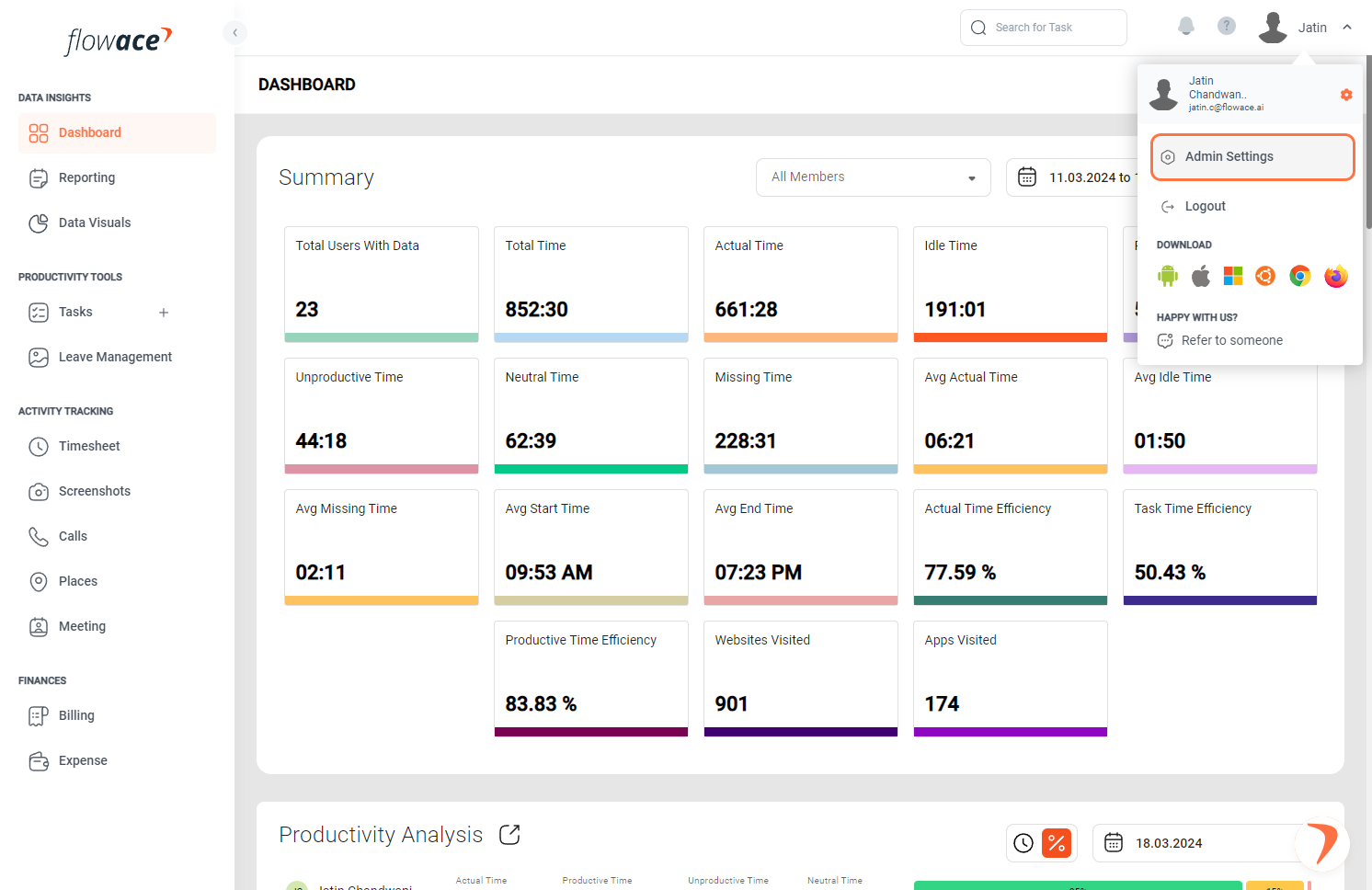
2) Click on Admin Settings.
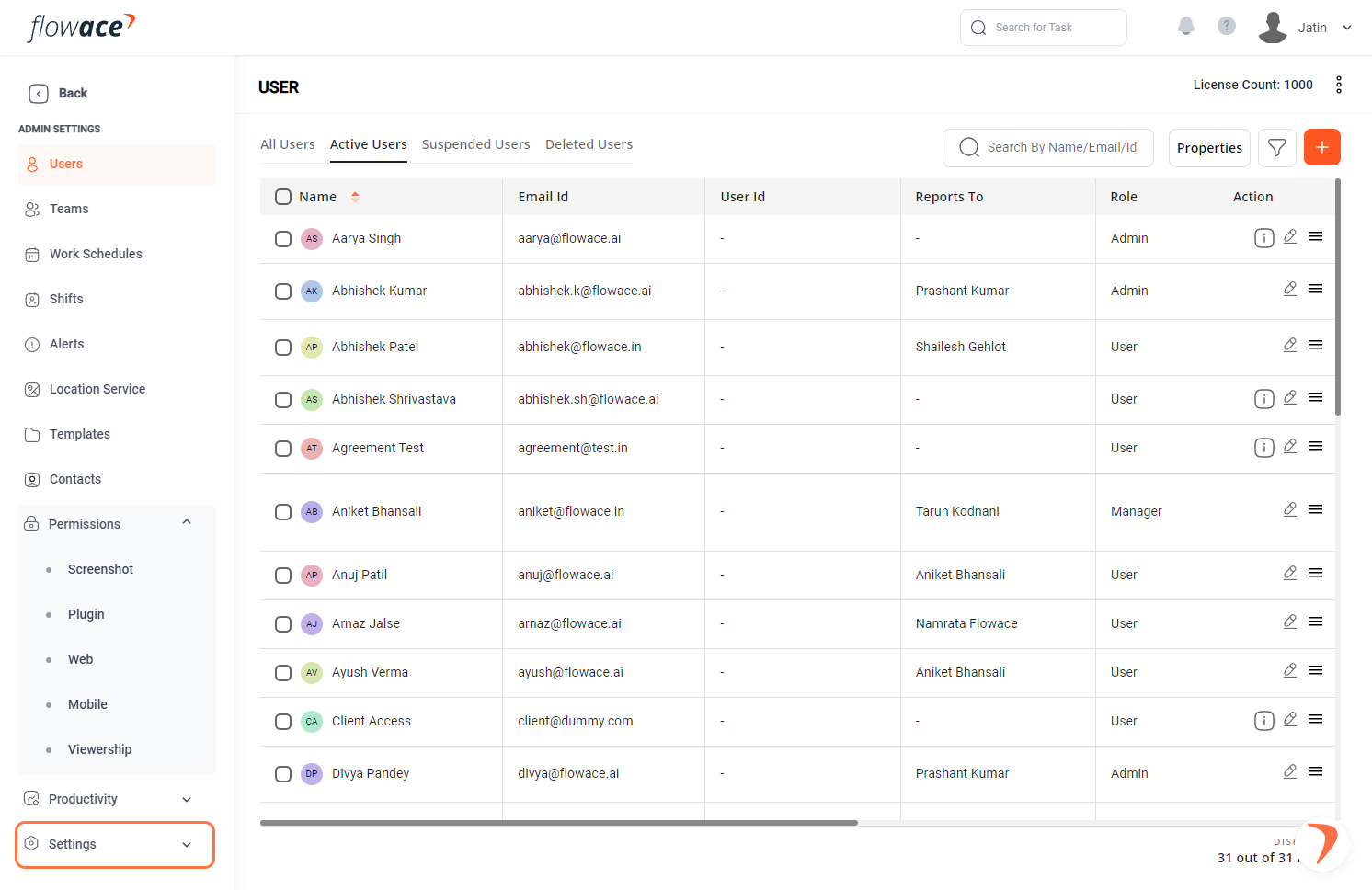
3) From the left-side menu, click on the “Settings” option.
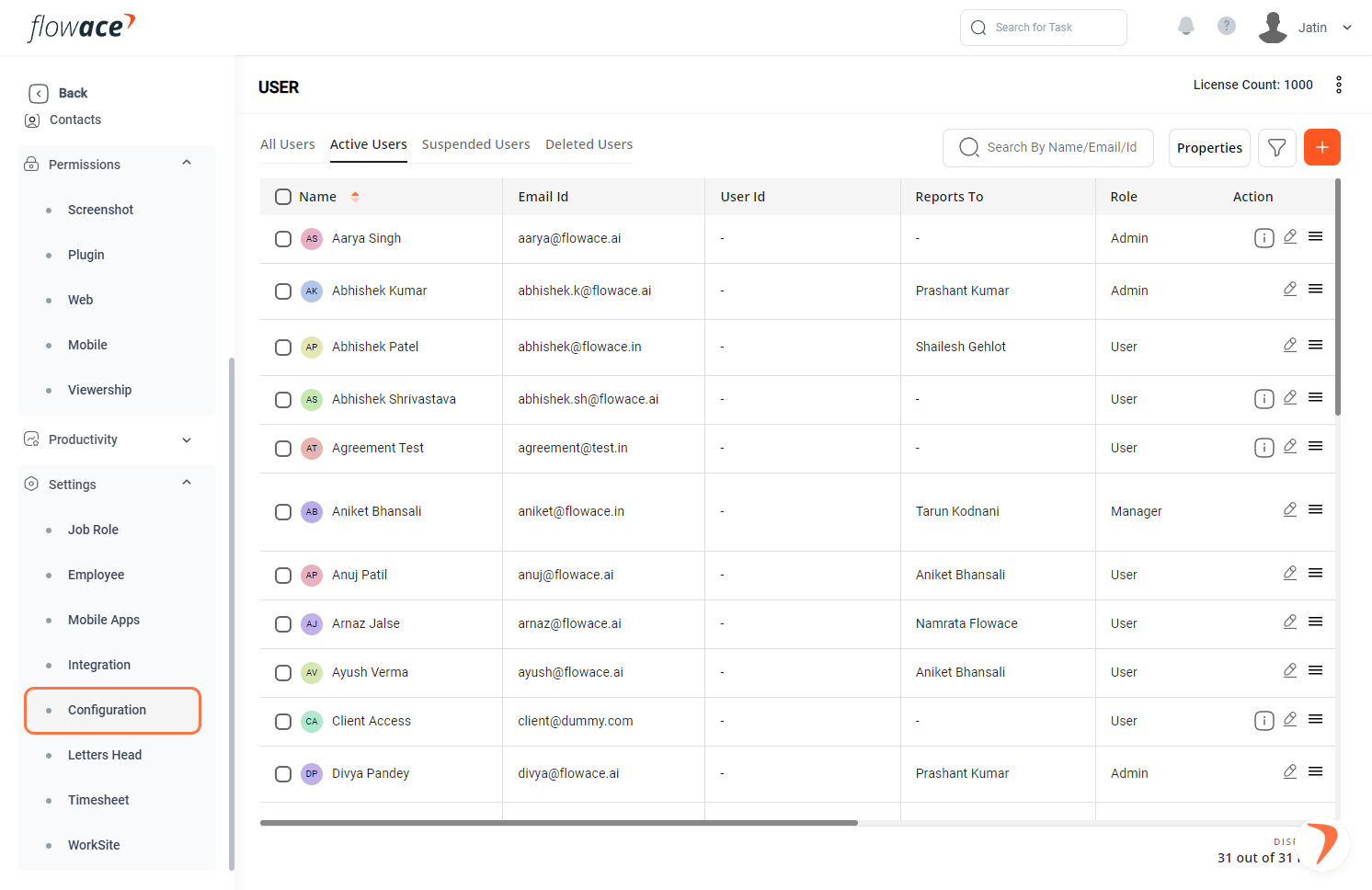
4) Click on the Configuration option.
5) Turn on internet usage
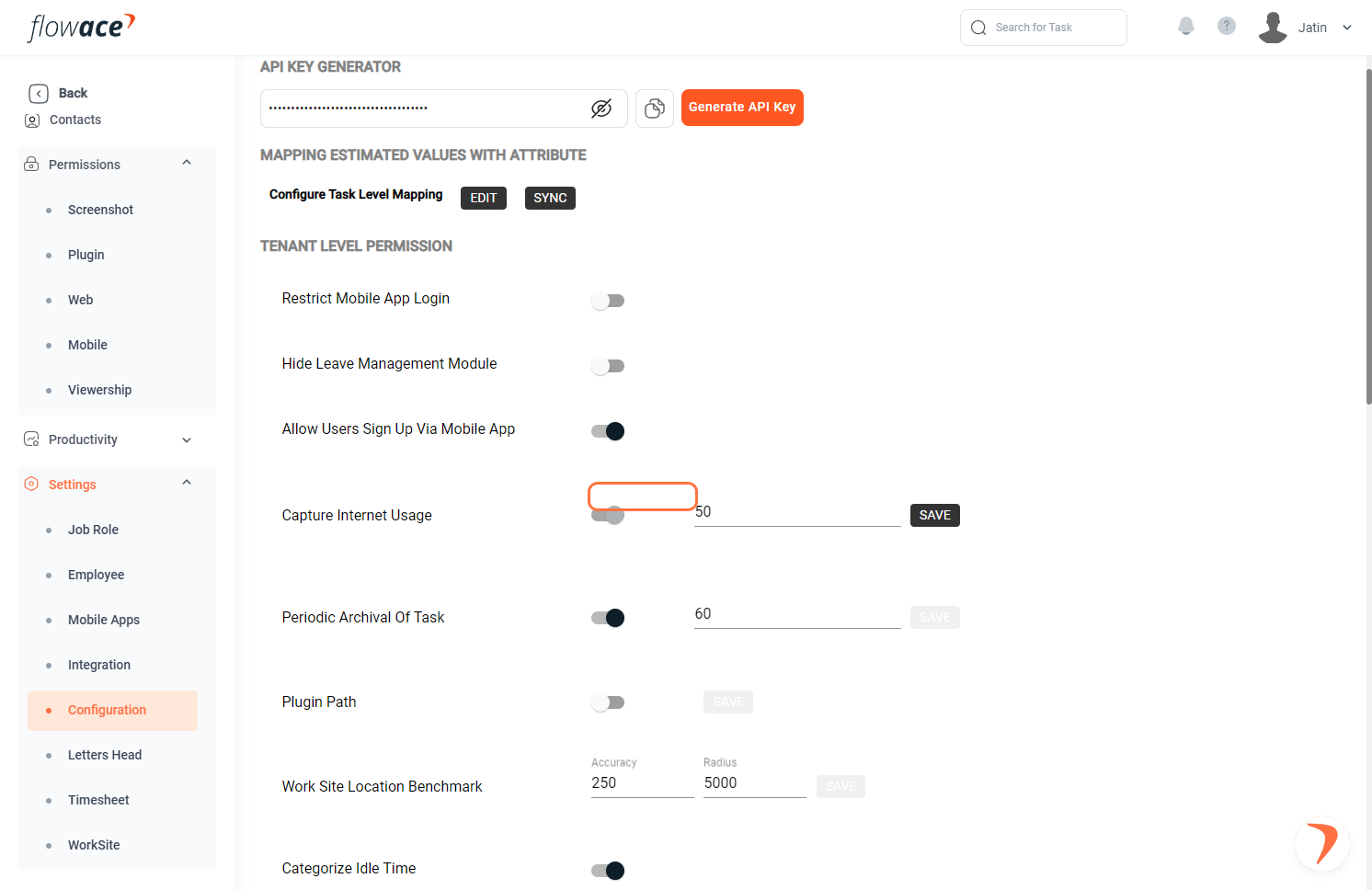
6) Type in the interval for the same.
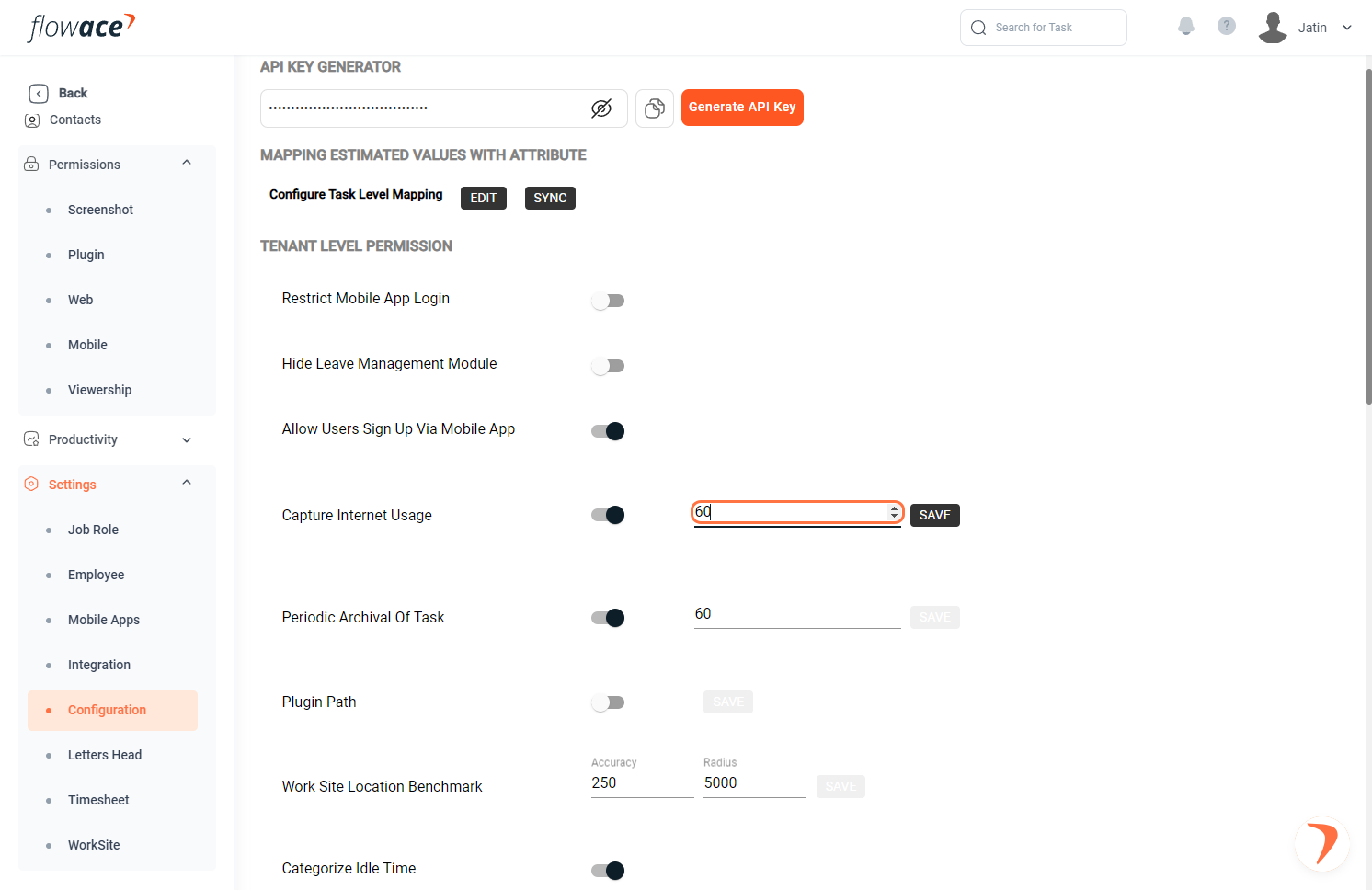
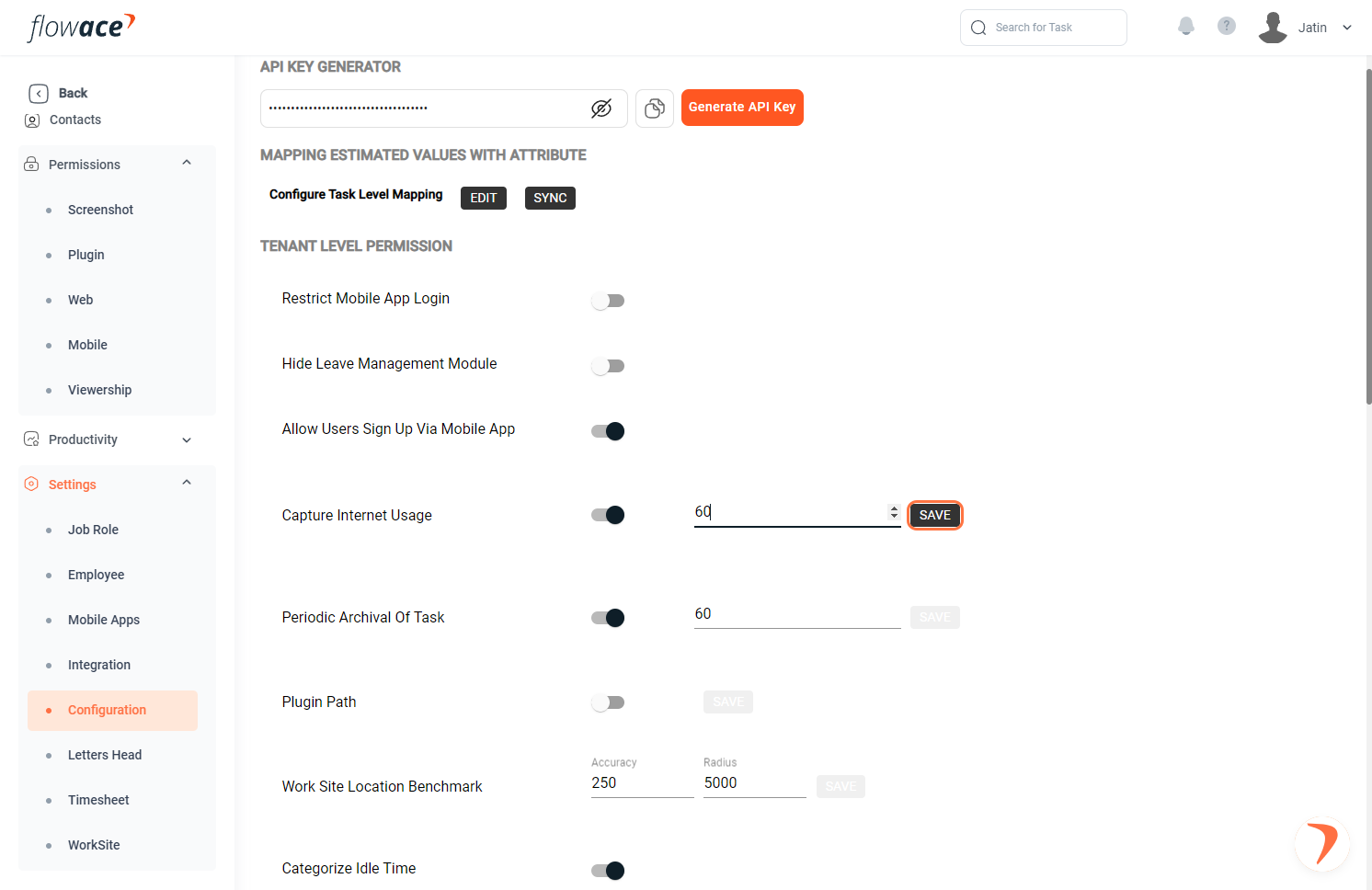
7) Click on the SAVE button.
Updated on: 02/06/2026
Thank you!